Economic Evaluation
How to use the Economic Evaluation section of the HeatMineDH tool is described below. The screenshots as well as the video show step-by-step process.
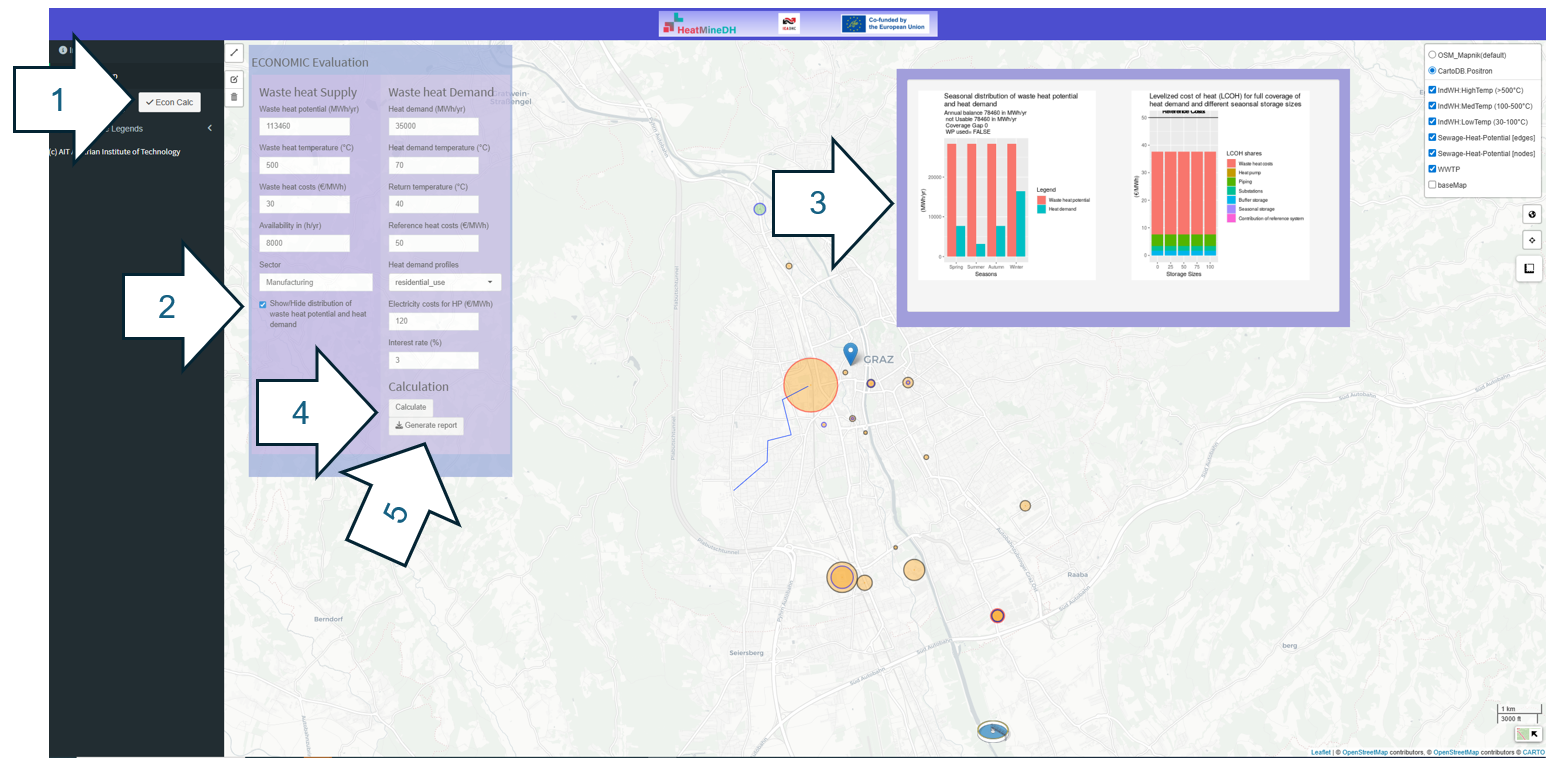
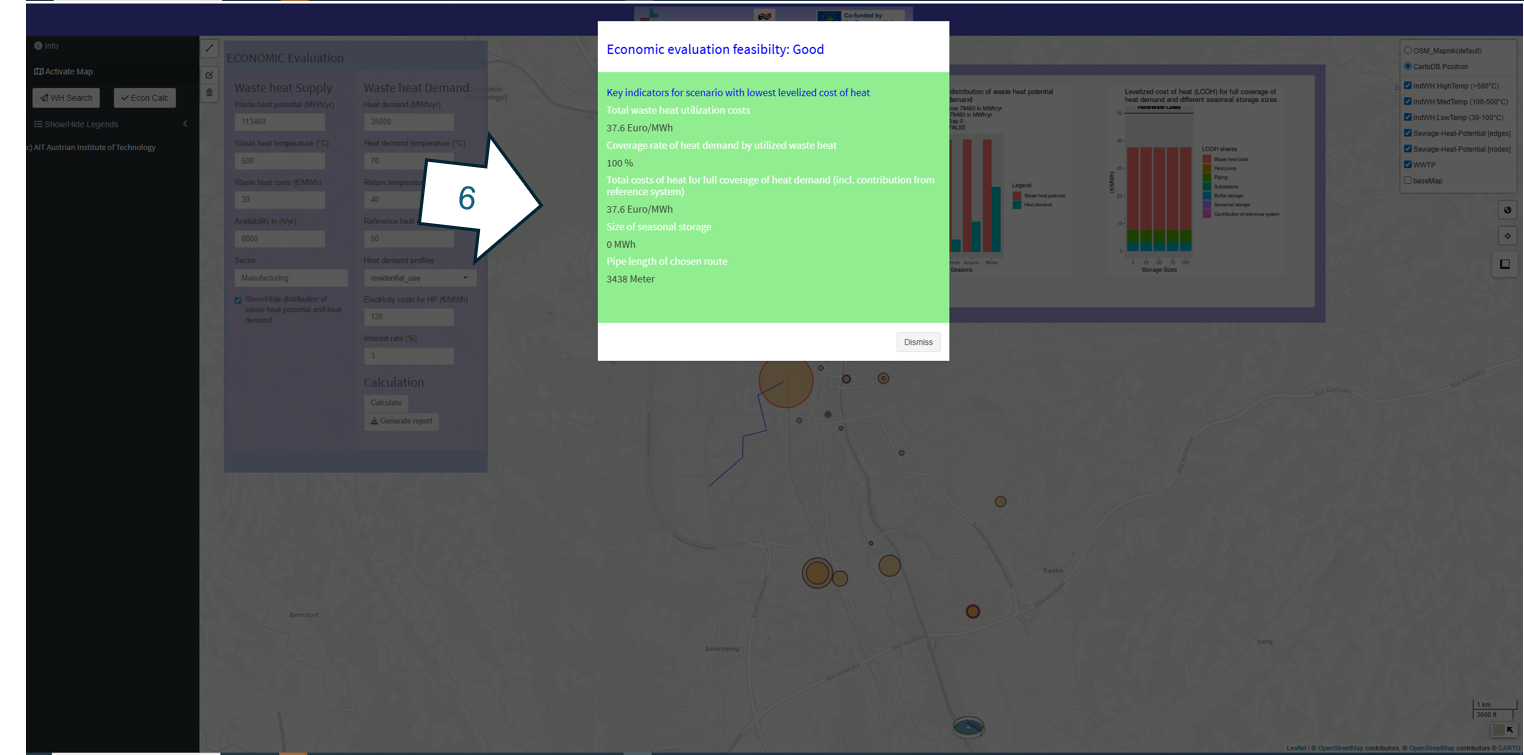
The interface of the Economic Evaluation can be activated at the left side of the WHE in his side bar by pushing a button (1). The UI Element called Economic Evaluation (2) provides the parameters which can be changed and enables to active the results visualization of the Economic Evaluation (3) depicting a bar chart with the demand and waste heat potential during the seasons at the left and on the right-side a bar chart depicting the different results calculated for different storage sizes (only shown if the calculation was already performed). To calculate the button “Calculate” (4) must be pushed, which triggers the on-screen evaluation feedback.
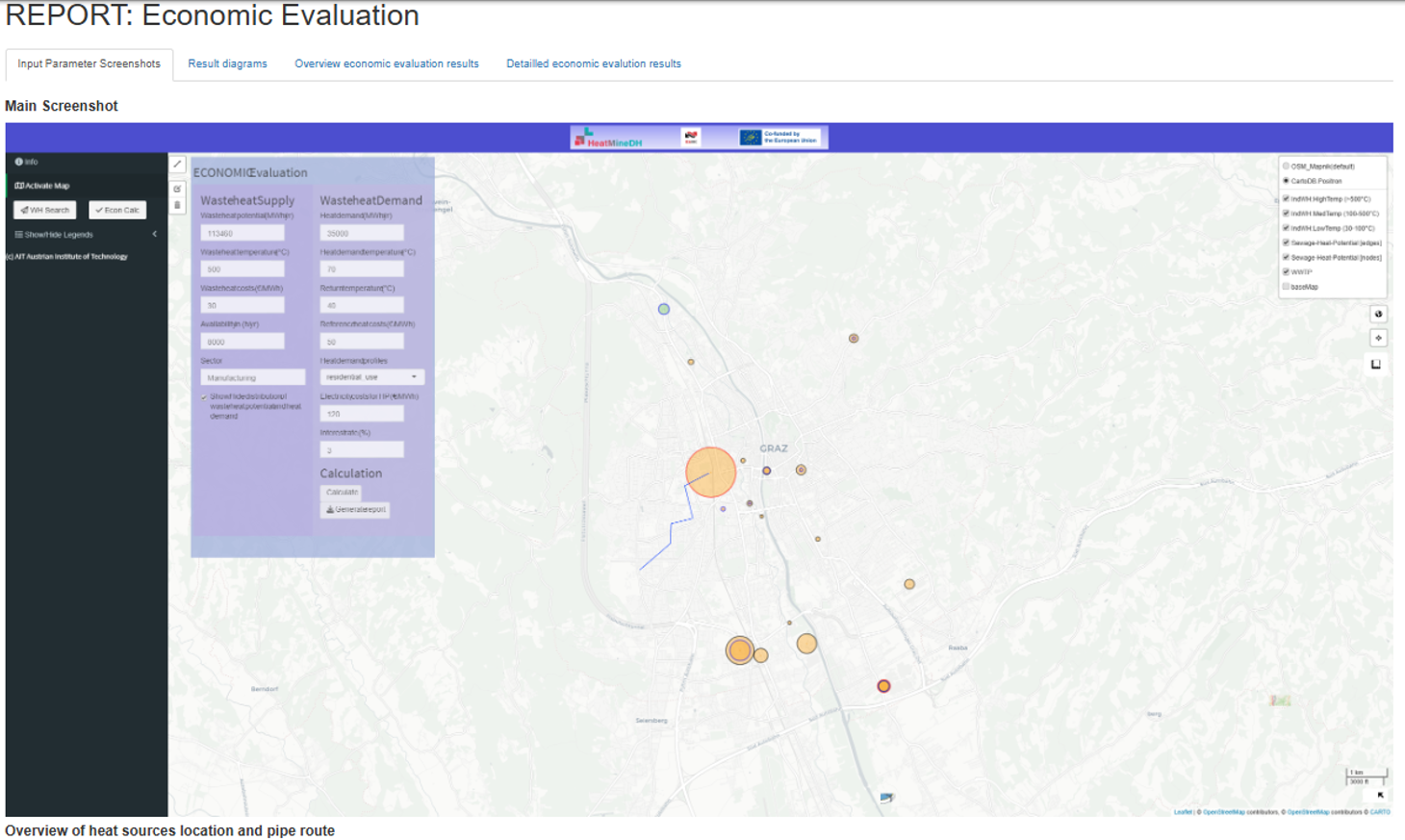
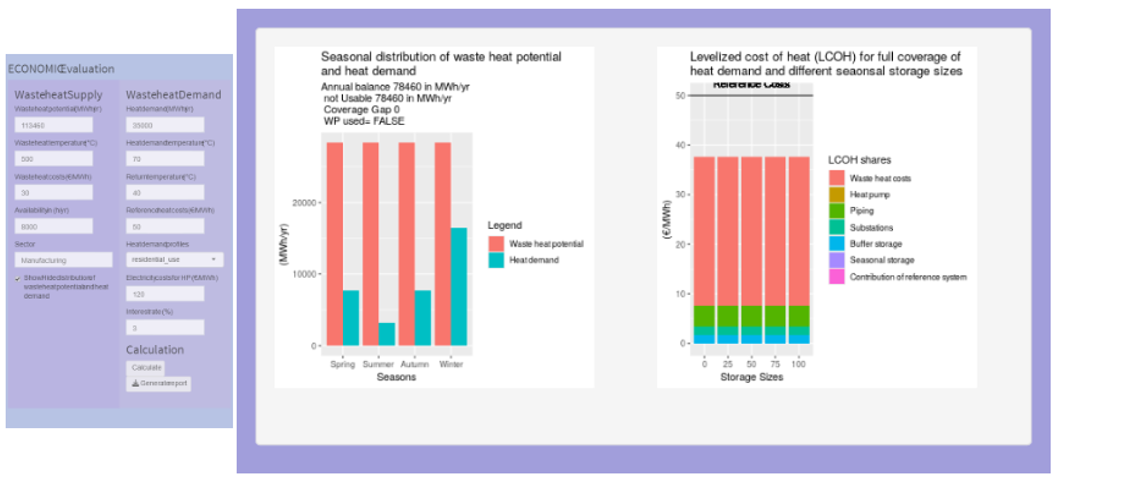
There is also a possibility to create a HTML report of the economic evaluation after the calculation has been performed. It contains a screenshot of the UI and the input parameter as well as the result charts. Furthermore, also the economic evaluation Overview see Figure 28 is included in this single html document.
Video below shows all these steps.